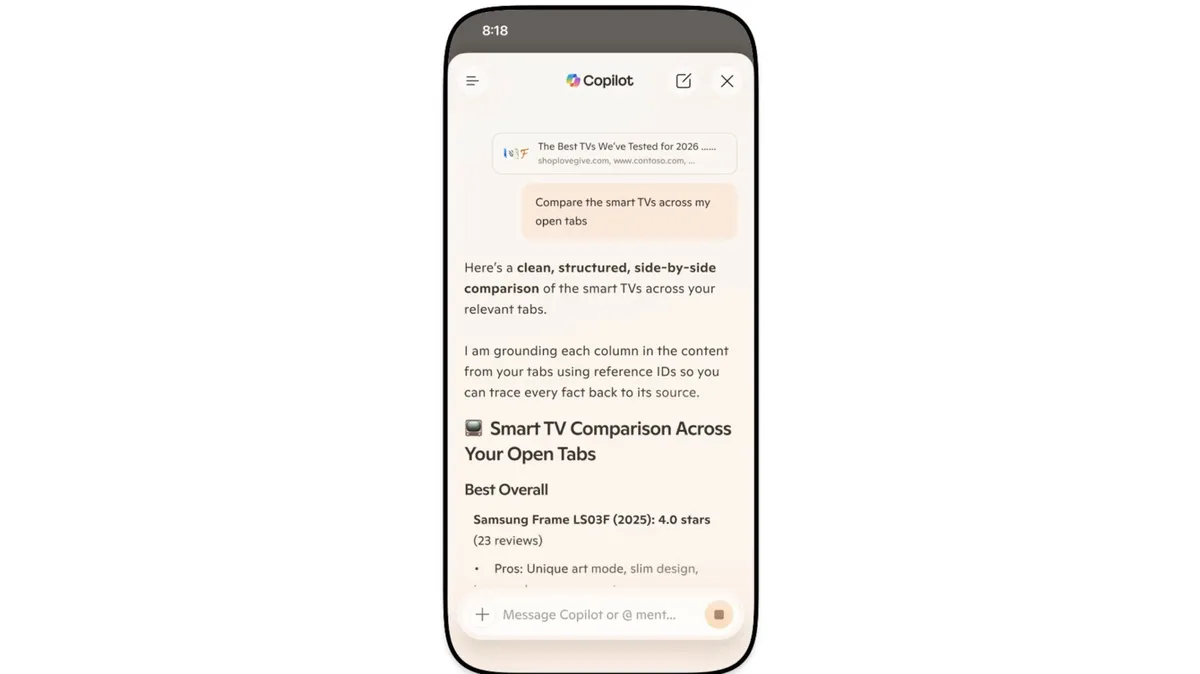
Microsoft has integrated its Copilot AI chatbot directly into the Edge browser on desktop and mobile devices, retiring the separate Copilot Mode feature previously available to users [1, 2]. The AI can now access information from all open tabs to answer questions, compare products, and summarize articles across the browsing session [1, 2].
The update introduces several new AI-powered tools. A Study and Learn mode creates study sessions and quizzes from online articles, helping users digest information more interactively [1, 2]. The AI also features a podcast creator that assembles podcasts derived from open tabs — a feature currently available only in English-speaking markets [1, 2]. In addition, there is a writing assistant that can help with drafting text and adjusting tone.
Copilot’s capabilities extend beyond single interactions. It can access browsing history and maintain a long-term memory on both desktop and mobile platforms. This allows the AI to personalize responses based on past conversations, creating a more tailored user experience [1, 2].
The Edge mobile app update adds the ability for users to share their screen with Copilot. They can then interact with the browsing content via voice commands, enabling a hands-free and more natural way to engage with web information [1, 2].
The redesigned new tab page brings together chat, search, and web navigation into a unified interface. It also introduces the AI-powered Journeys tool, which organizes browsing history into thematic categories to make revisiting previous sites easier [1, 2]. Microsoft lets users choose which AI features to enable or disable in the Edge settings, giving control over their experience [1, 2].
Microsoft’s initial public tests of Copilot Mode began in July 2025 with features allowing cross-tab search and page analysis [2]. The integration marks a step towards embedding AI deeply into everyday web browsing.
Users can expect these AI-powered tools to be available immediately in the latest Edge versions on desktop and mobile platforms [1, 2].