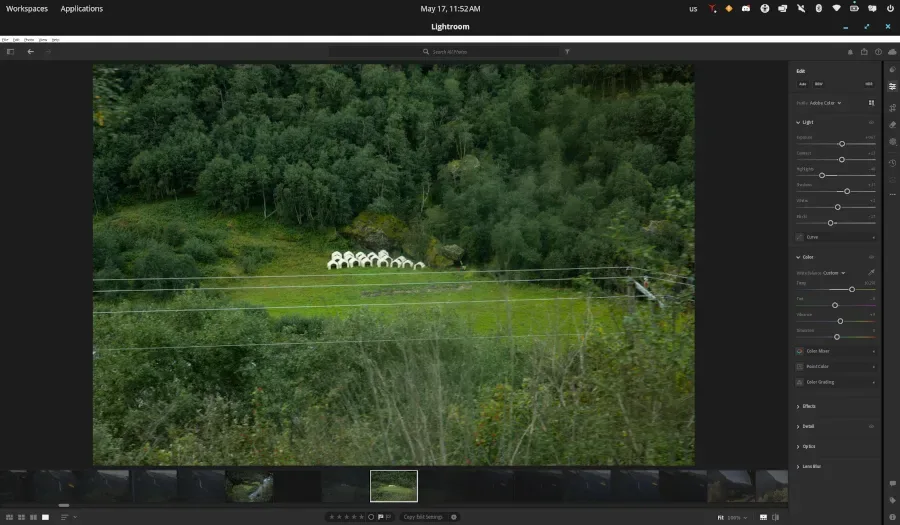
Adobe Lightroom Creative Cloud (Lightroom CC) version 9.3.1 can be run on Linux using Wine 11.8 Staging or newer with a series of experimental patches and DLL modifications, confirmed as of May 16, 2026 [1]. The setup supports core editing features and cloud syncing, making Lightroom use practical on Linux despite some stability issues with GPU-accelerated features and certain dialogs, like the "What's New" window, which may cause crashes [2, 1].
The process to achieve this compatibility required Wine 11.8 Staging or newer on a 64-bit Linux distribution running kernel 6.x or later. A Vulkan-capable GPU from NVIDIA, AMD, or Intel is also necessary. Users must hold a valid Adobe Creative Cloud subscription that includes Lightroom CC to access the service [1].
Key technical modifications include patching the d2d1.dll and mfplat.dll libraries, disabling AdobeGrowthSDK.dll, and utilizing DXVK with a dummy composition swapchain to enable essential functionality of Lightroom CC on Linux [1]. Despite these changes, the application runs well enough for everyday photo editing tasks including powerful tools like Remove and Heal, which work reliably [2, 1].
Claude Opus 4.7, an AI model, played a crucial role in automating much of the complex work needed to adapt Lightroom CC to Linux. Claude autonomously performed the heavy lifting and published a reproducible installation recipe, accelerating the process for Linux users seeking Adobe’s photo software [2].
The entire project, along with detailed installation instructions and patches, is publicly available on GitHub for those interested in replicating or further improving the setup [2, 1]. The Lightroom CC installation requires approximately 10 GB of disk space [1].
This Linux compatibility breakthrough provides a practical path for photographers and creatives who prefer Linux environments but rely on Adobe Lightroom CC. The next milestone is continued stability improvements to fully support GPU acceleration and eliminate occasional crashes during certain dialogs.