Microsoft introduced Intelligent Terminal version 0.1 on June 2, an open-source experimental fork of Windows Terminal that integrates AI agents natively within the terminal window [1, 2, 3]. The software runs on Microsoft Windows and is available under the MIT license on GitHub [1, 2].
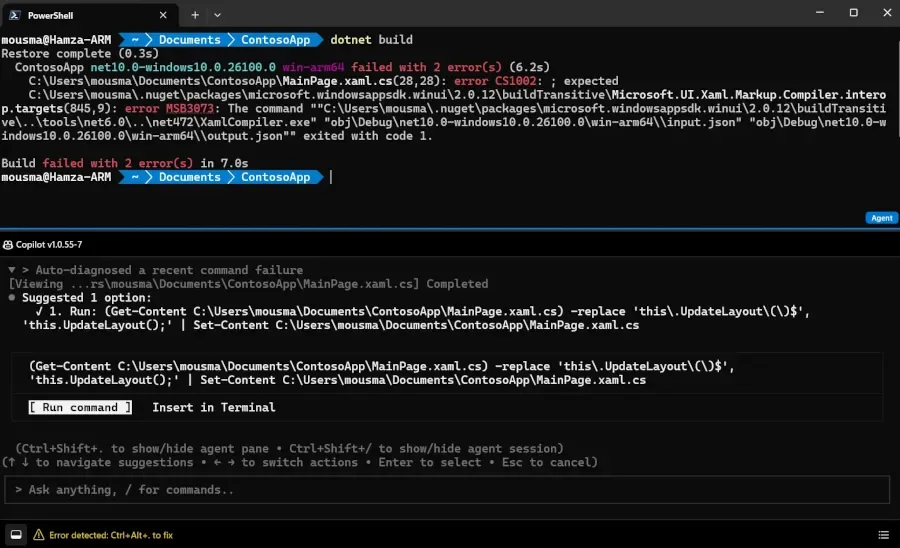
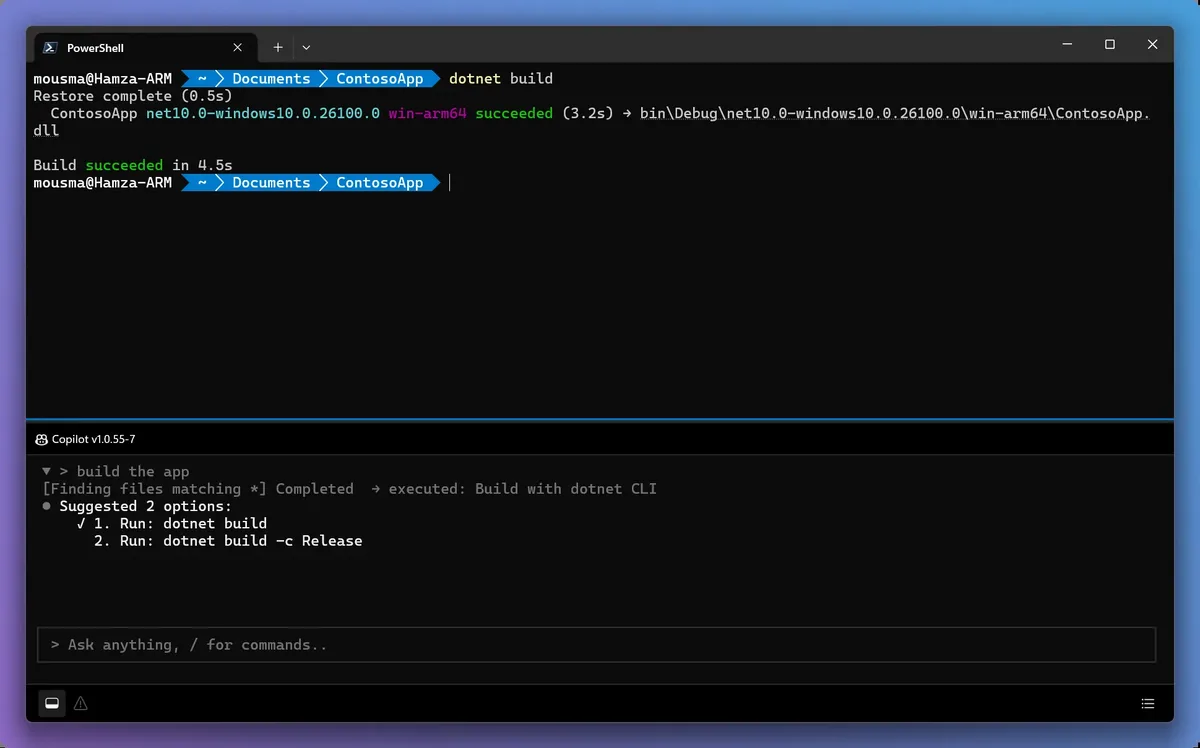
Intelligent Terminal features an agent status bar at the window's bottom for quick access to AI capabilities [1, 2]. The core interaction occurs in an agent pane: a configurable, docked sidebar that hosts the developer’s choice of CLI agent. By default, the terminal includes GitHub Copilot CLI but supports any agent compatible with the ACP protocol [1, 3].
The terminal improves developer workflows by automatically detecting command errors and marking them in the agent status bar. Clicking the indicator opens the agent pane with relevant error context for fast troubleshooting [1, 2, 3]. This addresses the previously common but clumsy practice of copying error text, switching to an external chat window for AI help, and then returning to the terminal. Jatinder Mann, Microsoft partner director of product management, said: “You’re in a terminal, you hit an error, you copy it, you switch to your chat window with your favorite agent, you paste it, explain the context, get an answer, and you switch back. That feels broken.” [3]
Users can interact with the agent pane through keyboard shortcuts: Ctrl+Shift+. toggles the pane’s visibility, and Ctrl+Shift+I switches focus to it quickly [1]. Tasks can be handled in background tabs, keeping the main shell available and uninterrupted [1, 3]. The agent pane can be placed as a side pane, a background tab, or at the bottom of the window, letting users customize their setup [3].
Developers can choose their preferred AI helper inline, with Mann adding: "Developers will be able to have their ‘favorite agent, whether that’s GitHub Copilot, Claude Code, Codex, or others’ help them right in the terminal.” [3] For users who prefer to work without AI assistance, the agent can be completely disabled [3].
Microsoft will continue maintaining the original Windows Terminal for users who want a non-AI-enhanced experience [2]. Intelligent Terminal’s open-source release signals Microsoft’s push to streamline developers’ command line workflows by embedding AI directly where code is written and debugged [1, 2, 3].